
Flux AI 图片 生成器
Flux AI 是 Black Forest Labs 的高质量 AI 图像生成产品线,强调清晰细节、稳定光影和更自然的写实表现,适合从概念图到商业视觉的多种图像工作流。
Flux AI 的功能亮点
汇总该提供方主要模型系列中的共性优势。
更强的文本生成图像模型
Flux 基于大规模架构构建,重点强化高质量 text-to-image 生成,使其在复杂指令下也能保持更丰富细节、更强提示词遵循和更多样的视觉风格。
Prompt
A photorealistic portrait of Lingviana, a 36-year-old Spanish woman in a cozy university office, surrounded by warm wooden bookshelves. Soft, diffused lighting accentuates her expressive blue eyes and wavy dark brown hair, dressed in a light blouse and dark pants. She holds a leather notebook and fountain pen, exuding warmth in a rich, earthy-toned setting.
输出图片

Prompt
Pareidolic anamorphosis of a hole in a brick wall morphed into a hublot of a sail boat, a window to the sea.
输出图片

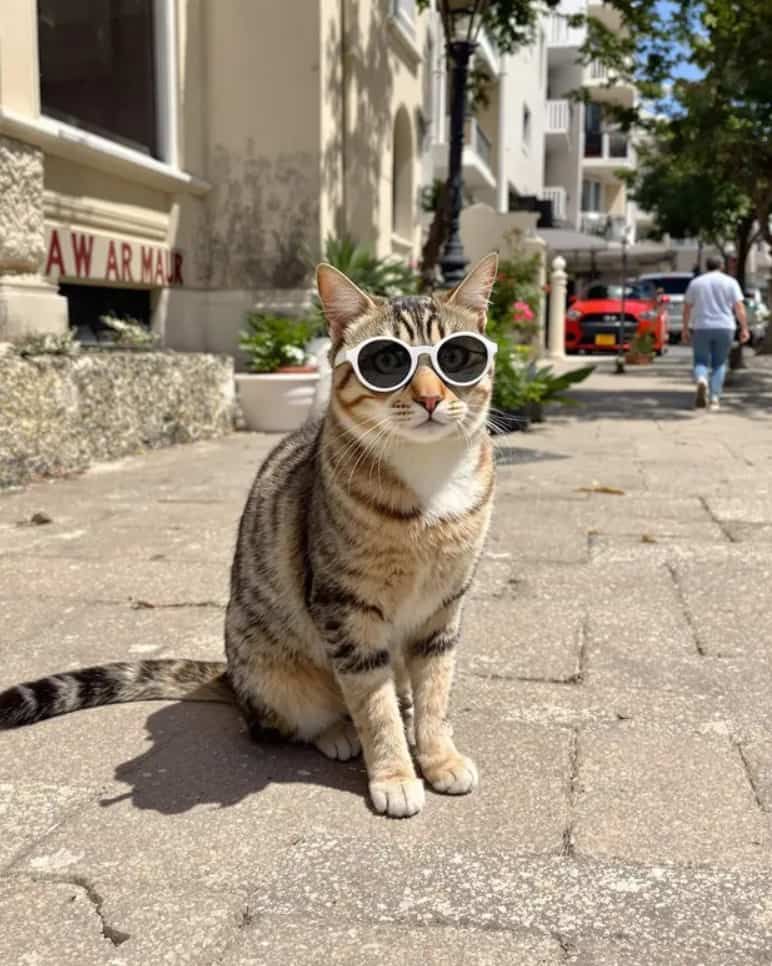
Prompt
A cat sit near the bech with sun glass, photo.
输出图片
| Prompt | 输出图片 |
|---|---|
A photorealistic portrait of Lingviana, a 36-year-old Spanish woman in a cozy university office, surrounded by warm wooden bookshelves. Soft, diffused lighting accentuates her expressive blue eyes and wavy dark brown hair, dressed in a light blouse and dark pants. She holds a leather notebook and fountain pen, exuding warmth in a rich, earthy-toned setting. | |
Pareidolic anamorphosis of a hole in a brick wall morphed into a hublot of a sail boat, a window to the sea. | |
A cat sit near the bech with sun glass, photo. | |
多种 Flux 模型变体
Flux 拥有多个变体版本。在当前产品中,主要集成的是 Flux Kontext 和 Flux 2 Pro,而更广的家族中还包含适合更快生成或更轻量工作流的其他公开版本。
示例 1
Version
Flux.1 Pro
Key Features
Top-tier performance with precise prompt understanding, high-quality visuals, rich details, and diverse outputs.
Use Cases
Commercial projects, professional design, and high-end visual content.
示例 2
Version
Flux.1 Dev
Key Features
Open-weight model derived from the higher-end Flux family and optimized for more efficient experimentation.
Use Cases
Academic research, personal development, and open-source collaboration.
示例 3
Version
Flux.1 Schnell
Key Features
Fastest and lightest Flux variant, designed for quicker generation and lower-friction iteration.
Use Cases
Rapid prototyping, education, and lower-resource environments.
示例 4
Version
Flux Kontext / Flux 2 Pro
Key Features
Integrated here for high-quality generation and efficient prompt-led iteration, balancing speed, clarity, and polished visual output.
Use Cases
Commercial design, concept art, polished illustrations, and fast iteration workflows.
| Version | Key Features | Use Cases |
|---|---|---|
Flux.1 Pro | Top-tier performance with precise prompt understanding, high-quality visuals, rich details, and diverse outputs. | Commercial projects, professional design, and high-end visual content. |
Flux.1 Dev | Open-weight model derived from the higher-end Flux family and optimized for more efficient experimentation. | Academic research, personal development, and open-source collaboration. |
Flux.1 Schnell | Fastest and lightest Flux variant, designed for quicker generation and lower-friction iteration. | Rapid prototyping, education, and lower-resource environments. |
Flux Kontext / Flux 2 Pro | Integrated here for high-quality generation and efficient prompt-led iteration, balancing speed, clarity, and polished visual output. | Commercial design, concept art, polished illustrations, and fast iteration workflows. |
多样化风格
Flux 支持广泛艺术风格和视觉效果,既适合写实渲染,也适合 anime、图形插画和风格化概念图。
Prompt
Beautiful anime artwork, a cute anime catgirl that looks depressed holding a piece of paper with a smile drawn on it over her mouth, she is about to cry.
Generated Image

| Prompt | Generated Image |
|---|---|
Beautiful anime artwork, a cute anime catgirl that looks depressed holding a piece of paper with a smile drawn on it over her mouth, she is about to cry. | |
丰富的自定义选项
你可以通过调整质量和降噪步数来控制图像细节程度以及生成时长,从而在快速迭代和最终精修之间取得平衡。
示例 1
Setting
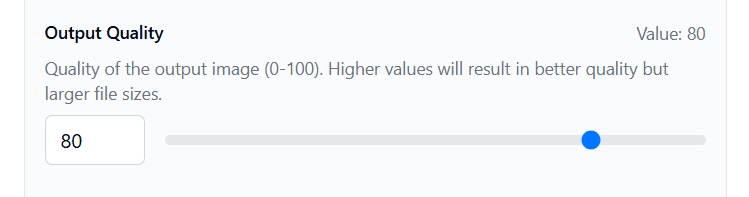
Output Quality
Description
Adjust image quality on a scale from 0 to 100 for more control over the final look.
Reference
示例 2
Setting
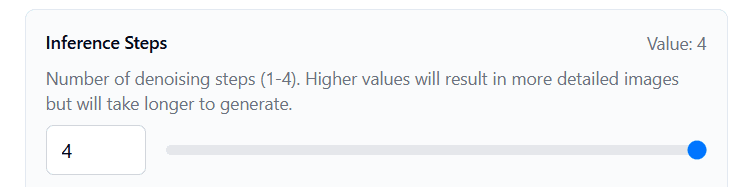
Denoising Steps
Description
Set denoising steps between 1 and 4. Higher values increase detail but take longer, while lower values favor faster generation.
Reference
| Setting | Description | Reference |
|---|---|---|
Output Quality | Adjust image quality on a scale from 0 to 100 for more control over the final look. | |
Denoising Steps | Set denoising steps between 1 and 4. Higher values increase detail but take longer, while lower values favor faster generation. | |
如何在 skills.video 中使用 Flux AI
01
选择 Flux 模型
根据你的目标选择合适的 Flux 模型,可用于更高质量直出或更快迭代。
02
定义视觉需求
详细描述主体、风格、构图、光线和氛围,以便 Flux 更准确地生成结果。
03
反复迭代优化
按需调整质量与降噪设置,并持续微调提示词,直到得到理想的细节、风格和一致性。
图片模型
对比 Flux AI 的图片模型,适用于文生图与图像编辑工作流。
常见问题
关于 Flux AI 模型和工作流的常见问题。