
PixVerse V5.6 的核心功能
Audio-Visual Synchronization: A complete sound field including BGM, SFX, and character dialogues, making the video richer and more comprehensive in terms of audio.
Multi-Shot Camera Control: 1 image + 1 description + Multi-shot enabled
Multi-Shot Generation: Create complete sequences with multiple camera angles
Hyperrealistic Visuals: Produce cinematic-quality footage with depth of field
Integrated Audio & SFX: Automatically align dialogue, sound effects, and music
Pixel-Level Control: Adjust detailing, composition, and visual elements with precision
Lightning-Fast Processing: Generate 10-clip sequences within seconds with optimized rendering speed
Multi-Style Support: Support for diverse visual aesthetics—from photorealistic to stylized cinematic looks
Audio-Visual Synchronization
A complete sound field including BGM, SFX, and character dialogues, making the video richer and more comprehensive in terms of audio.
主体参考
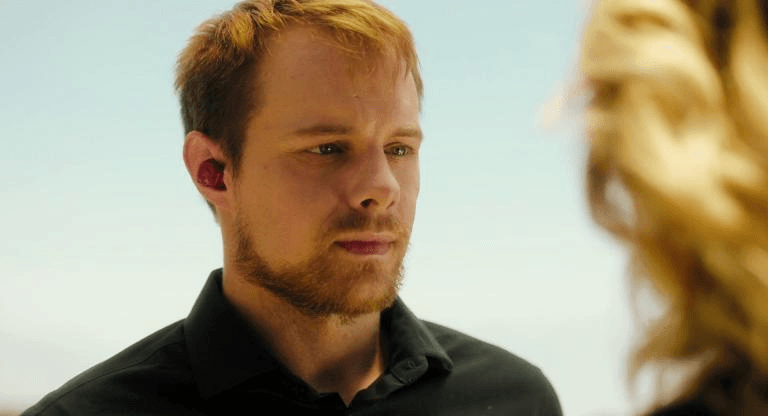
Prompt
The video shows A close-up shot shows a man with reddish-brown hair and a beard, wearing a black shirt and a red earpiece in his left ear. He looks slightly off-camera to the right. He says, "i didn't have any choices.". Cut to the next scene, a close-up shot of a blonde woman looking directly ahead. The back of the man's head is visible in the foreground on the left. The woman says angrily, "Sorry, you gotta tell the judge." Cut to the next scene, a close-up shot of the man with reddish-brown hair and a beard. The back of the woman's head is visible in the foreground on the left. The man says sadly, "you are my sunshine". Cut to the next scene, a close-up shot of the blonde woman looking directly ahead. The back of the man's head is visible in the foreground on the left. The woman says calmly,"fine".
结果
Prompt
Shot 1: Wide shot of the predator sprinting. Shot 2: Close-up of the prey darting across the grass. Shot 3: Aerial shot of the chase. Sounds of rapid footsteps, predator growling, prey’s frantic breathing.
结果
Prompt
She can not stand her work and she is going to quit and yell in the office.
结果
Multi-Shot Camera Control
= More abundant lens language design, including push-in, switching, and shot scale changes.
主体参考
Prompt
The video shows A close-up shot shows a man with reddish-brown hair and a beard, wearing a black shirt and a red earpiece in his left ear. He looks slightly off-camera to the right. He says, "i didn't have any choices.". Cut to the next scene, a close-up shot of a blonde woman looking directly ahead. The back of the man's head is visible in the foreground on the left. The woman says angrily, "Sorry, you gotta tell the judge." Cut to the next scene, a close-up shot of the man with reddish-brown hair and a beard. The back of the woman's head is visible in the foreground on the left. The man says sadly, "you are my sunshine". Cut to the next scene, a close-up shot of the blonde woman looking directly ahead. The back of the man's head is visible in the foreground on the left. The woman says calmly,"fine".
结果
Prompt
Shot 1: Wide shot of the predator sprinting. Shot 2: Close-up of the prey darting across the grass. Shot 3: Aerial shot of the chase. Sounds of rapid footsteps, predator growling, prey’s frantic breathing.
结果
Multi-Shot Generation
Pixverse V5.5 AI video model eliminates the complexity of stitching together multiple scenes. Generate complete multi-shot sequences with dynamic camera work, seamless transitions, and consistent visual logic—all in a single generation. Perfect for over-the-shoulder shots, close-up details, wide establishing shots, and action sequences, Pixverse 5.5 handles complex shot compositions without visual artifacts or continuity breaks.
Prompt
A small flower vase on a windowsill, camera drifting around the flowers. Petals sway gently in the breeze, sunlight streams through the window. Smooth pans and zooms capture the vase and surrounding details.
结果
Hyperrealistic Visuals
Pixverse V5.5 generates videos with exceptional fidelity, featuring cinematic depth of field, realistic lighting, and advanced physics simulation. Characters move naturally, objects respond realistically to forces, and environments feel lived-in and authentic. Whether you're creating dramatic cinematics or subtle character moments, the model delivers visuals that rival professional production quality.
主体参考
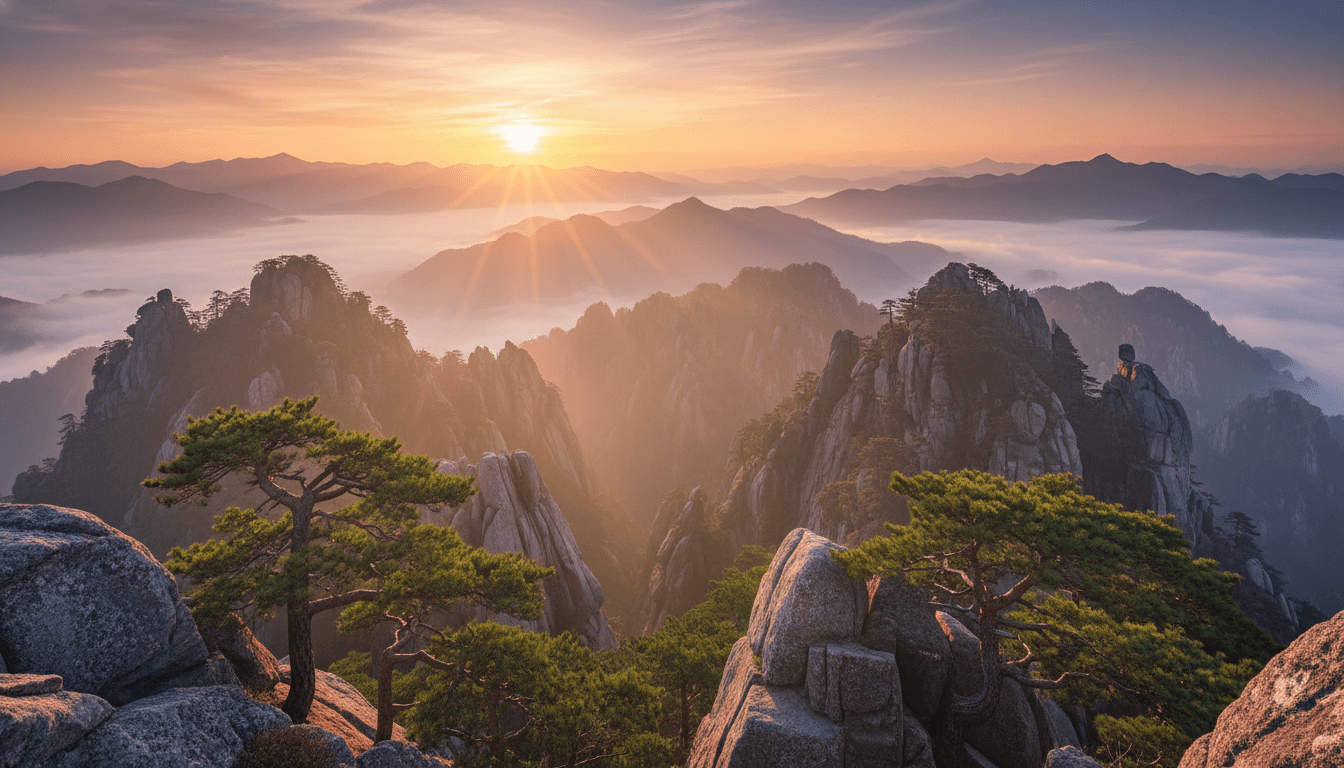
Prompt
Animate the image with a slow horizontal pan across the mountain valley. Sunlight glances off rocky peaks, morning fog flows subtly, trees and foliage gently sway. Add ambient sounds: soft wind, distant water stream, occasional bird song. Maintain cinematic composition and natural depth of field for a tranquil, immersive experience.
结果
Integrated Audio & SFX
Pixverse V5.5 synchronizes dialogue, ambient sound, and sound effects with visual action effortlessly. The model understands spatial audio—footsteps echo as characters move, impacts land with precise timing, and background noise contextually matches the scene. Leverage infinite voice options and tonal variations to match character personalities and emotional beats, creating fully immersive audio-visual narratives.
Prompt
A small mountain village under a soft snowfall. Footsteps crunch in the snow as people walk along narrow streets, bells ring from distant houses, wind brushes over rooftops. The camera moves along the street, showing the cozy snow-covered cottages in the cold morning light.
结果
Pixel-Level Control
The Pixverse 5.5 video model grants unprecedented control over every visual element. Refine character positioning, adjust lighting nuance, sharpen specific details, and perfect composition with granular precision. This level of control means you're never forced to accept AI-generated compromises—you can iterate until the video matches your exact creative vision, down to the finest details.
主体参考

Prompt
Animate the robot workshop image into a cinematic video. The camera slowly glides through the workshop, focusing on workbenches with mechanical parts and half-assembled robots. Sparks occasionally fly from welding tools, soft overhead lights cast shadows on metallic surfaces, and wires and circuits glint subtly. Gentle zooms and pans reveal the intricate details and craftsmanship, maintaining depth and cinematic perspective.
结果
Multi-Style Support
Pixverse 5.5 supports diverse visual aesthetics within the same model. Generate photorealistic footage, cinematic fantasy visuals, stylized animation, or period-specific looks—all with consistent quality and coherent storytelling. Switch between styles seamlessly or blend aesthetics within a single sequence for truly distinctive creative expression.
Prompt
A mystical anime forest with glowing plants and small magical creatures, camera drifting through the trees and sparkling streams. Soft ambient chimes and bird calls, gentle motion of leaves and magical lights. Smooth cinematic pans and zooms capture the enchanting, vibrant colors and whimsical atmosphere.
结果
如何在 skills.video 中使用 PixVerse V5.6 AI 视频 模型
选择 PixVerse V5.6 模型
前往创建页面,并在下拉列表中选择这个模型。
输入详细 Prompt
描述你想要的场景、风格和运动效果,并按需调整设置。
下载你的视频
点击创建,生成完成后即可下载或分享。