
Key Features of Runway Gen-4 Turbo
Dynamic & Lifelike Video Generation: Use reference images to generate dynamic, cinematic, and high-quality videos.
Superior Text Prompt Adherence: Interprets and visualizes complex prompts for detailed cinematic direction.
Superior Motion Consistency: Maintains stronger character, object, and style consistency across changing environments.
Precise Subject & Camera Control: Direct subject actions, interactions, and camera movement using simple prompts.
Faster Video Generation: Generate 10-second videos in just 30 seconds with Gen-4 Turbo.
Dynamic & Lifelike Video Generation
Runway Gen-4 allows you to convert any reference images into all sorts of lifelike characters, scenes, and points of view. The AI video model also takes motion realism to a whole new level (https://www.geeky-gadgets.com/runway-gen-4-review-consistent-and-controllable-ai-video-generation/), ensuring flawless character, object, and style consistency across all scenes. Explore unique and imaginative narratives by using simple images to generate dynamic, cinematic, and high-quality videos.
Result
Superior Text Prompt Adherence
Runway Gen-4 comes with a significant improvement in its ability to interpret and visualize complex prompts, making it easier to create short films, music videos, etc. Whether the narrative demands precise emotional expression, custom lighting, or even multiple camera movements, Gen-4 can provide you with unparalleled visual control.
Example 1
Prompt
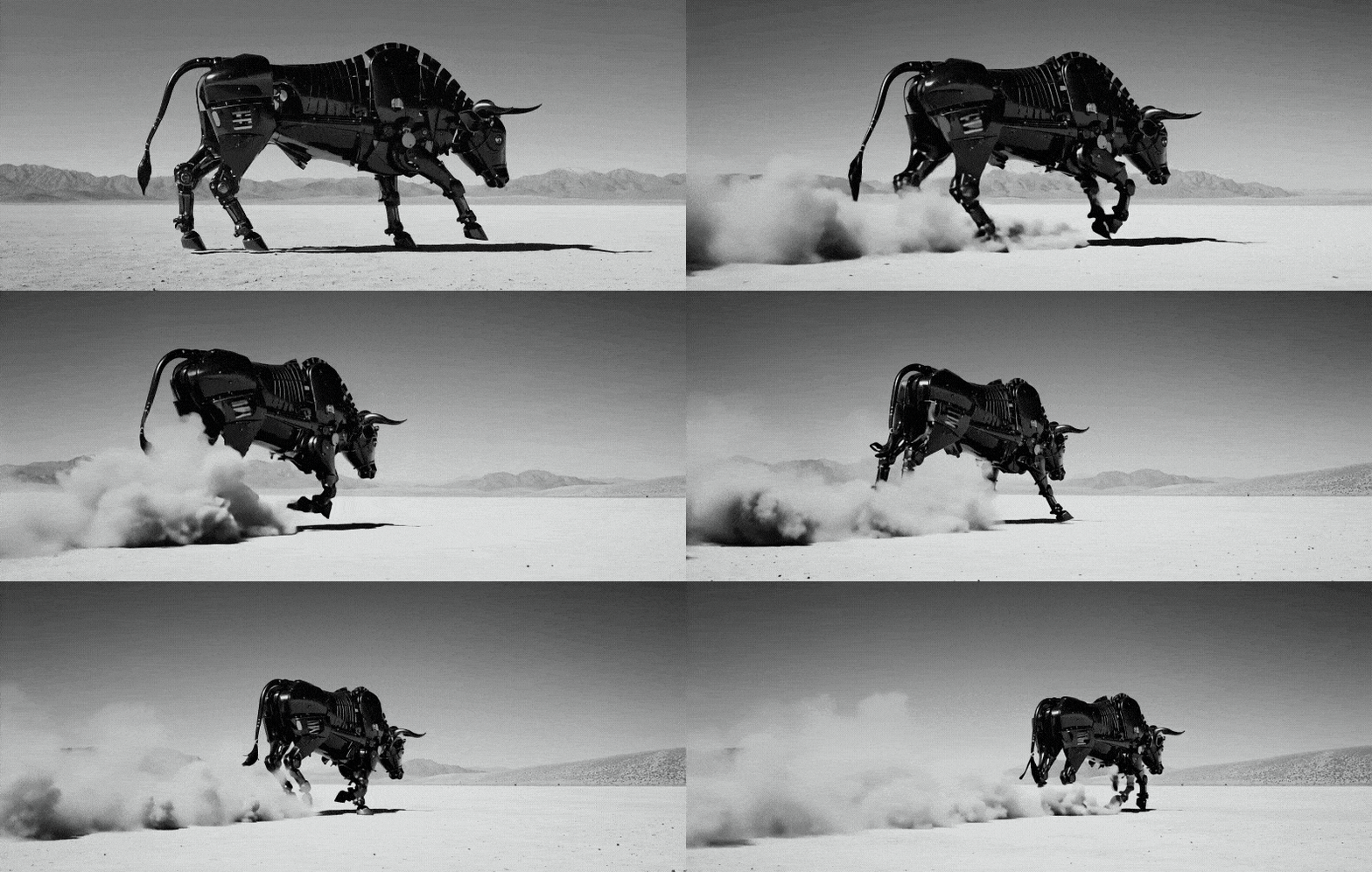
A handheld camera tracks the mechanical bull as it runs across the desert. The movement disturbs dust that trails behind the mechanical creature. Cinematic live-action.
Result
Example 2
Prompt
The woman inspects her reflection in the mirror. The surface of the mirror bubbles with large, organically shaped translucent bubbles in varying sizes. locked camera
Result

Prompt
Result
A handheld camera tracks the mechanical bull as it runs across the desert. The movement disturbs dust that trails behind the mechanical creature. Cinematic live-action.
The woman inspects her reflection in the mirror. The surface of the mirror bubbles with large, organically shaped translucent bubbles in varying sizes. locked camera
Superior Motion Consistency
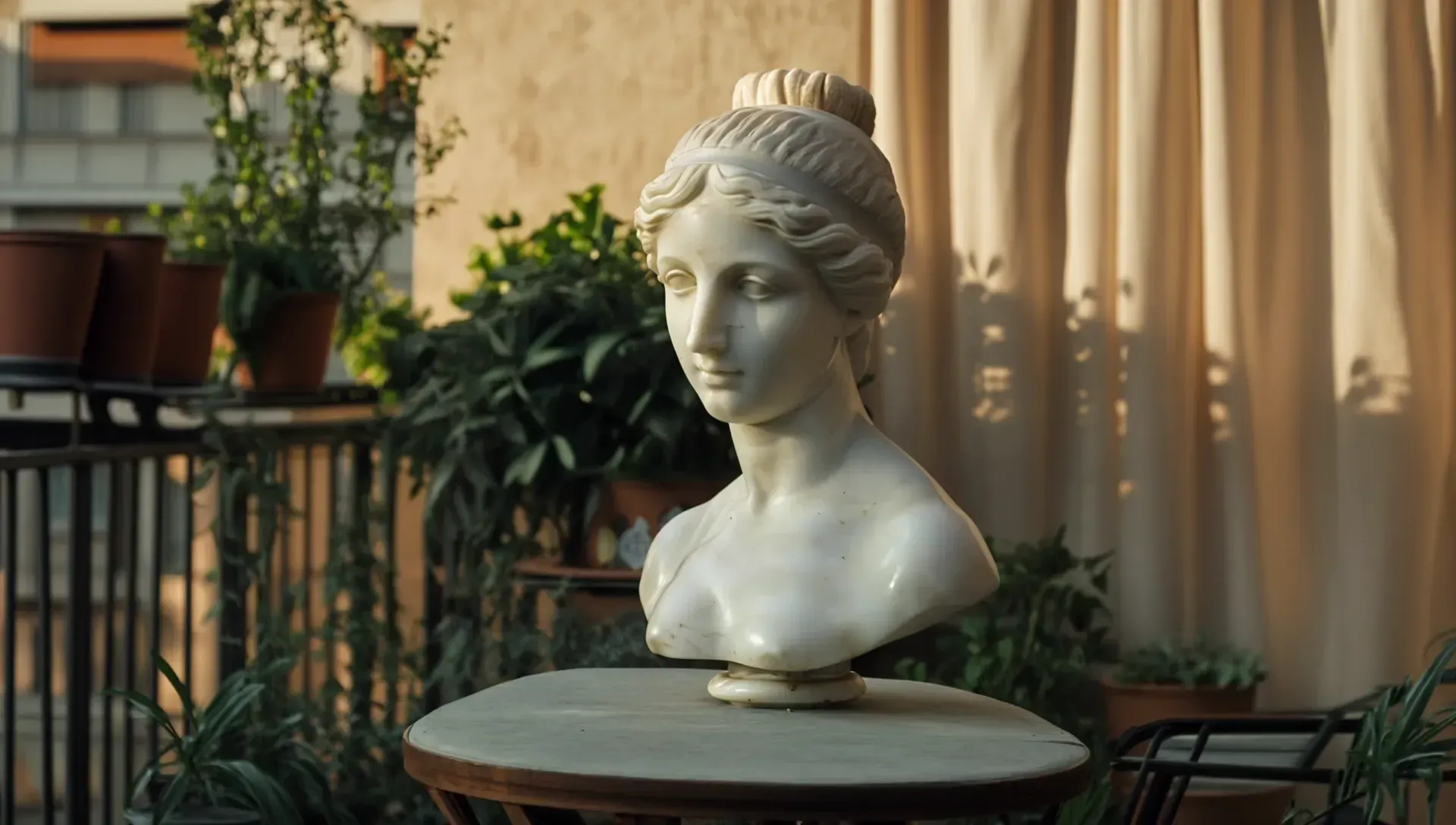
Compared to previous Runway models, Gen-4 offers enhanced character, object, and style consistency across all environments, varied lighting conditions, camera movements, etc. (https://venturebeat.com/ai/runways-gen-4-ai-solves-the-character-consistency-challenge-making-ai-filmmaking-actually-useful/) This means less rigid videos and instead, you can generate more authentic visuals with exceptional motion realism that ensures greater depth and believability.
Subject Reference
Result
Precise Subject & Camera Control
With Runway Gen-4, you can benefit from enhanced subject and camera control across all scenes. You can precisely direct specific character actions, interactions, and camera movements like pan, zoom, and more with simple text prompts. This makes it easier to customize visual scenes and bring any of your unique, creative ideas to life.
Example 1
Prompt
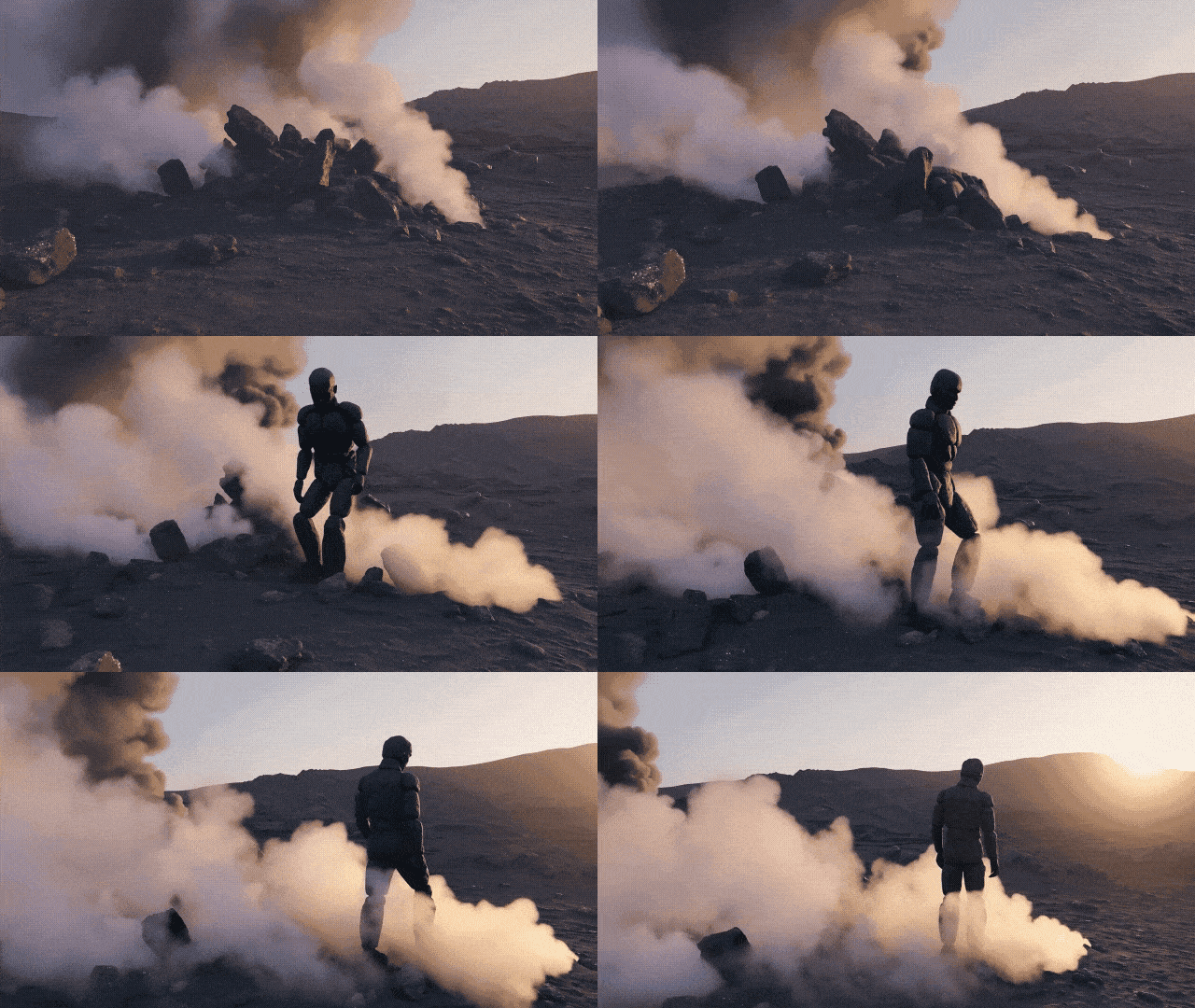
The pile of rocks transforms into a humanoid made out of rugged volcanic rocks. The rock humanoid walks around the scene.
Result
Example 2
Prompt
As the camera pans up, the Brooklyn Bridge gets on fire and collapses
Result

Prompt
Result
The pile of rocks transforms into a humanoid made out of rugged volcanic rocks. The rock humanoid walks around the scene.
As the camera pans up, the Brooklyn Bridge gets on fire and collapses
Gen-3 Alpha vs Gen-3 Alpha Turbo vs Gen-4
Features
Video Duration
Gen-3 Alpha
5/10s
Gen-3 Alpha Turbo
5/10s
Gen-4
5/10s
Features
Costs
Gen-3 Alpha
10 credits per second
Gen-3 Alpha Turbo
5 credits per second
Gen-4
12 credits per second
Features
Video Resolution
Gen-3 Alpha
1280x768px
Gen-3 Alpha Turbo
1280x768px 768x1280px
Gen-4
16:9 — 1280x720 px 9:16 — 720x1280 px 1:1 — 960x960 px 4:3 — 1104x832 px 3:4 — 832x1104 px 21:9 — 1584x672 px
Features
Video Extension increments
Gen-3 Alpha
5 or 10 seconds
Gen-3 Alpha Turbo
8 seconds
Gen-4
-
Features
Maximum extended length
Gen-3 Alpha
40 seconds
Gen-3 Alpha Turbo
34 seconds
Gen-4
-
Features
Text to Video
Gen-3 Alpha
Yes
Gen-3 Alpha Turbo
No
Gen-4
No
Features
Image to Video
Gen-3 Alpha
Yes
Gen-3 Alpha Turbo
Yes
Gen-4
Yes
Features
Video to Video
Gen-3 Alpha
Yes
Gen-3 Alpha Turbo
Yes
Gen-4
No
Features
Motion Brush
Gen-3 Alpha
No
Gen-3 Alpha Turbo
No
Gen-4
No
Features
Camera Control
Gen-3 Alpha
No
Gen-3 Alpha Turbo
Yes
Gen-4
No
Features
Custom Styles
Gen-3 Alpha
No
Gen-3 Alpha Turbo
No
Gen-4
No
Features
Lip Sync
Gen-3 Alpha
Yes
Gen-3 Alpha Turbo
Yes
Gen-4
Yes
Features
Act-One
Gen-3 Alpha
Yes
Gen-3 Alpha Turbo
Yes
Gen-4
No
Features
Expand Video
Gen-3 Alpha
No
Gen-3 Alpha Turbo
Yes
Gen-4
Yes
| Features | Gen-3 Alpha | Gen-3 Alpha Turbo | Gen-4 |
|---|---|---|---|
| Video Duration | 5/10s | 5/10s | 5/10s |
| Costs | 10 credits per second | 5 credits per second | 12 credits per second |
| Video Resolution | 1280x768px | 1280x768px 768x1280px | 16:9 — 1280x720 px 9:16 — 720x1280 px 1:1 — 960x960 px 4:3 — 1104x832 px 3:4 — 832x1104 px 21:9 — 1584x672 px |
| Video Extension increments | 5 or 10 seconds | 8 seconds | - |
| Maximum extended length | 40 seconds | 34 seconds | - |
| Text to Video | Yes | No | No |
| Image to Video | Yes | Yes | Yes |
| Video to Video | Yes | Yes | No |
| Motion Brush | No | No | No |
| Camera Control | No | Yes | No |
| Custom Styles | No | No | No |
| Lip Sync | Yes | Yes | Yes |
| Act-One | Yes | Yes | No |
| Expand Video | No | Yes | Yes |
How To Use Runway Gen-4 Turbo AI Video Model on skills.video
Select the Runway Gen-4 Turbo model
Head to the create page and choose this model from the dropdown list.
Input your detailed prompt
Describe the scene, style, and motion you want. Adjust settings as needed.
Download your video
Click create, then download or share once the generation finishes.